

Payroll
Monthly salaries worked out from Staff and HR, with SSNIT and PAYE.
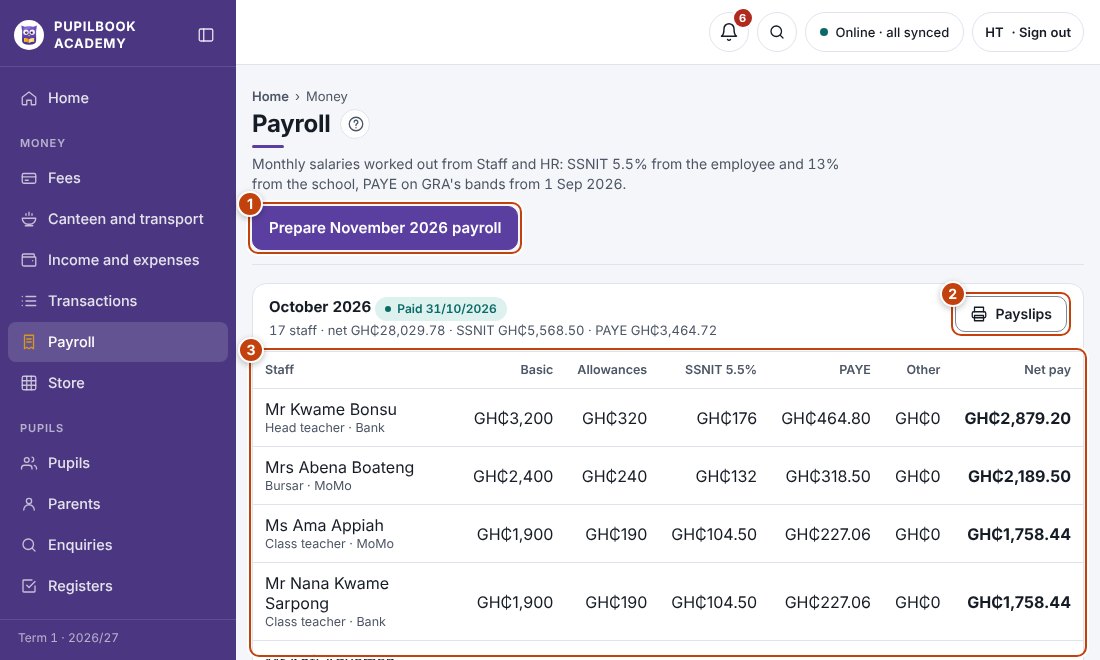
In the picture: 1 Prepare this month’s payroll · 2 Payslips · 3 Pay, SSNIT and PAYE for each person.
Run this month’s payroll
Section titled “Run this month’s payroll”- Check each person’s pay in Staff and HR first.
- Click Prepare payroll for the month and check the figures.
- Approve it.
- Once the money has gone out, mark it paid. It is recorded as an expense.
Payslips
Section titled “Payslips”Click Payslips to print one for each person.
- SSNIT is 5.5% from the employee and 13% from the school. PAYE follows GRA’s monthly bands.