

Scores
Class and exam scores by subject. Totals, grades and positions work themselves out.
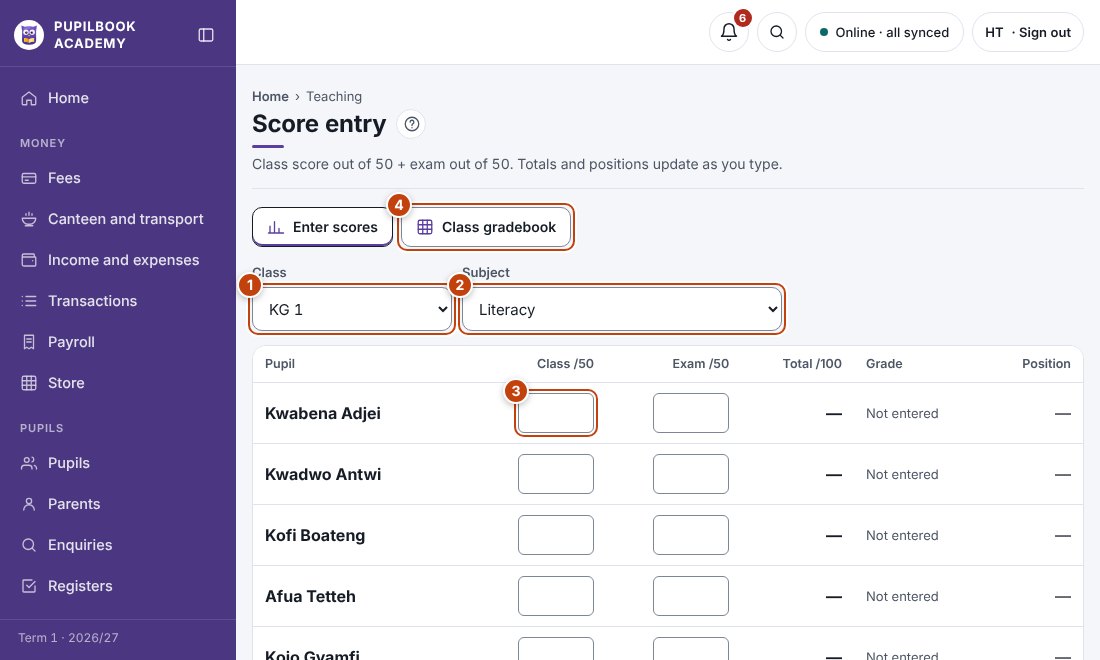
In the picture: 1 Choose the class · 2 Choose the subject · 3 Type the class and exam scores · 4 See the whole class.
Enter scores
Section titled “Enter scores”- Choose the class and subject.
- Type the class score and exam score for each pupil.
- Click Submit for head teacher review when the subject is done.
See the whole class
Section titled “See the whole class”Open Class gradebook for every subject side by side.
- The class and exam split, such as 30/70, is set in School setup.