

School setup
Classes, subjects, grading, fees and the end of the school year.
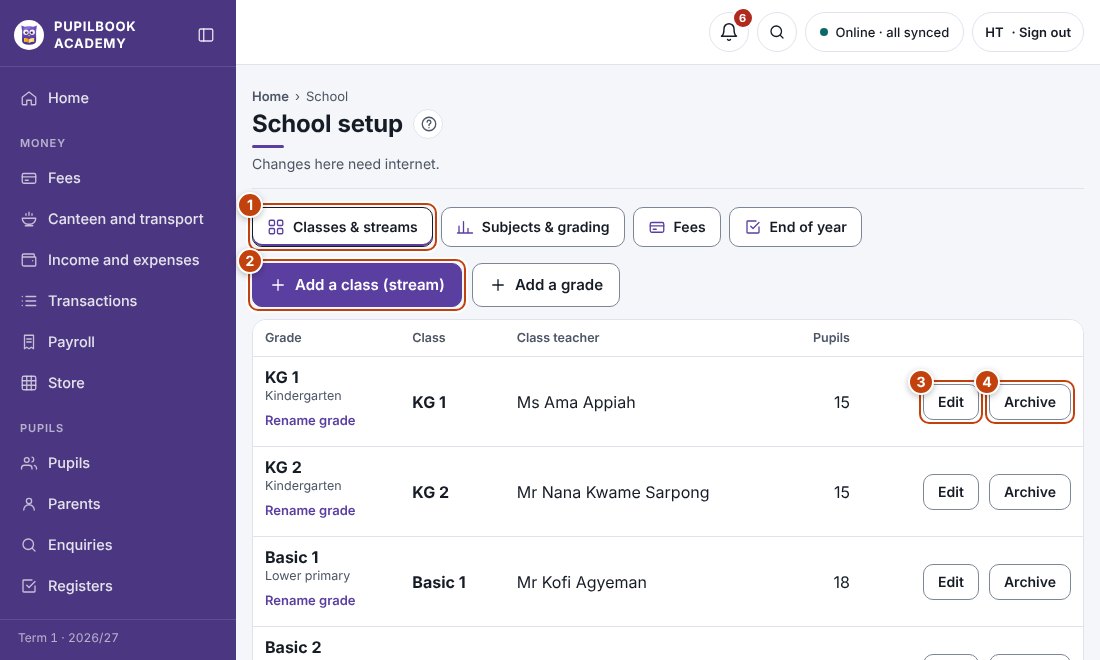
In the picture: 1 Setup sections · 2 Add a class · 3 Change a class and its teacher · 4 Archive a class.
Add a class
Section titled “Add a class”- Open Classes & streams and click Add a class (stream).
- Choose the grade and class teacher.
Set fees
Section titled “Set fees”Open Fees and enter each item and amount for each grade.
Grading and subjects
Section titled “Grading and subjects”Open Subjects & grading to set the grading scale and the class and exam split.
End of year
Section titled “End of year”Open End of year to move pupils up a grade. Pupils in the last grade become Completed.
- Changes here need internet.